Launch & domain
Share your app with customers
Every fingr app is online from the start. Here's how to share the link, connect real services and use your own domain.
Nothing to deploy
Share it with customers (launch)
-
1
The “Where to check it” address (like fp-xxxx.apps.fingr.io) is a real web address. Send that link to customers or staff and it opens on phones and computers. Hosting is included.
-
2
Features that rely on another company's service — payments, text messages, maps — need a key from that company to work for real. Until you add one, we build them in practice mode, so no real money or messages go out. Connect them before you open the app to customers: if a key is needed, “App info” → “Connect real services” shows how to get it and where to paste it. Once you save it, we add it to your app and restart it.
-
3
Free apps take a short nap after 10 minutes with no visitors and wake up in about 10 seconds when someone opens them. Once upgraded, the app is always on.
Upgraded apps · no extra cost
Use your own domain
-
1
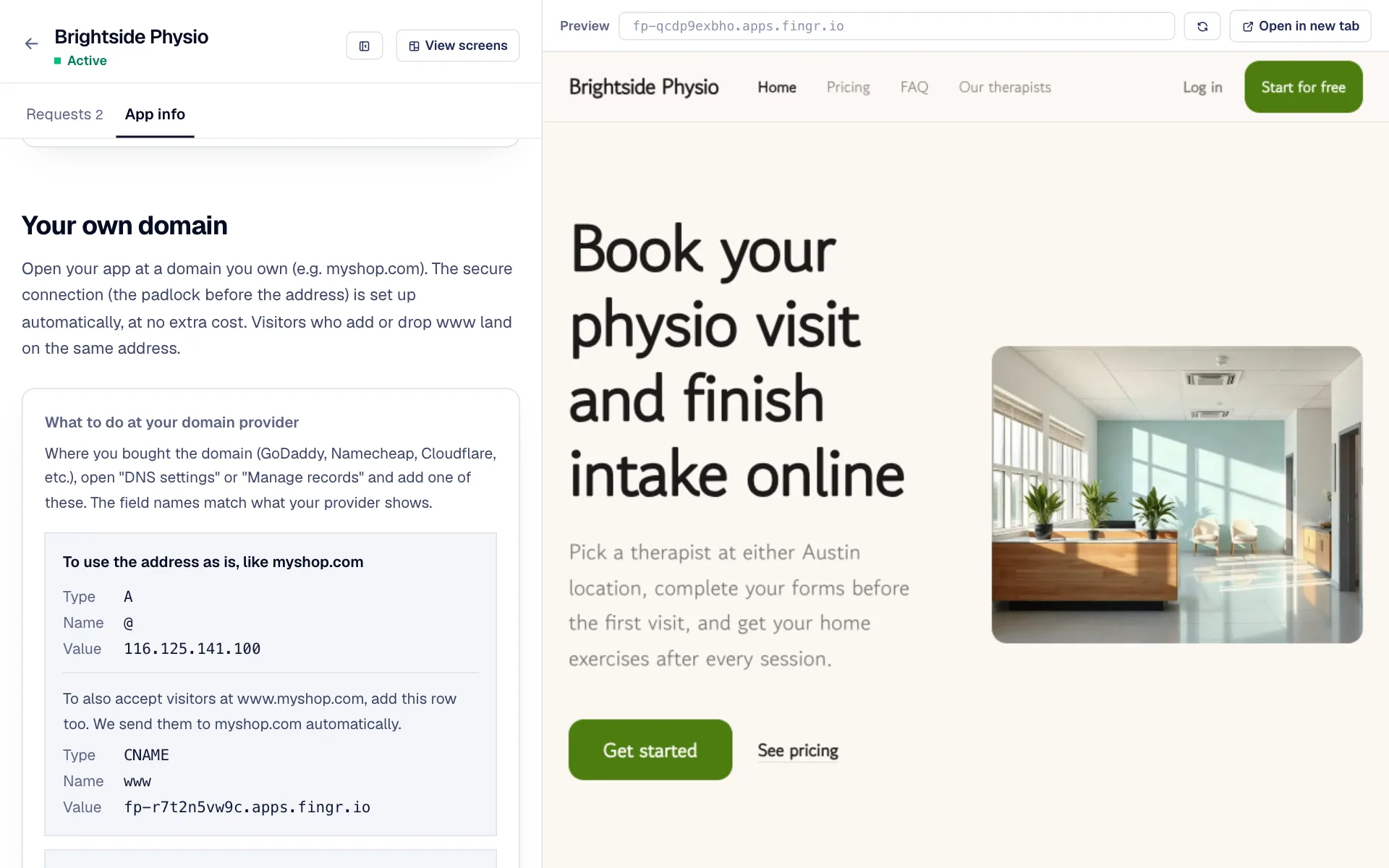
To use your own domain (like mybrand.com), upgrade the app, then open “App info” → “Your own domain” and enter the domain.
-
2
Add the values shown on screen at the place you bought the domain (GoDaddy, Namecheap, Cloudflare…). We email you once it's connected.
-
3
HTTPS (the padlock) is set up automatically at no extra cost, and the www version of the address opens the same app.
Questions?
Ask the chatbot at the bottom right of the screen. AI answers first, and our team follows up when needed. You can also email james@heyjames.ai.
Build your first app with free credits