fingr guide
From sign-up to launch
If it's your first time, just follow these steps in order. Here's what's free, how to share your app with customers, and how to keep growing it — with screenshots.
What's free
Signing up is free, and verifying your phone gives you 50 credits. They cover planning and design and building one real, working app (one per account).
Sharing with customers
There's nothing to deploy. Your app is online from the start — just send the link.
Going further
Upgrade an app to keep it always on, turn off the “Made with fingr” badge and connect your own domain. Changes are paid with credits.
Sign-up · design · your first app
What can I do for free?
You can do all of this without adding a card. Before anything costs money, we tell you on screen first.
- Sign up — with email or Google
- Describe your idea · answer a few questions · pick features and a design
- Edit the design — click a block and describe the change, or add screens
- One build request — a working app with sign-up, saving and an owner view (one app per account)
- If a build can't finish, fingr retries on its own and then our team takes a look
- After your first result the free app stays, and you can keep changing it with credits
You can keep a free app. It sleeps while no one is using it and wakes up when someone visits, with a small “Made with fingr” badge in the corner. It's deleted only if you don't log in to fingr for 30 days — we email you a week before. From your second app, building starts as soon as you upgrade it.
A sentence or two is enough
Sign up and describe your idea
-
1
Sign up with email or Google, then click the yellow “New app” button at the top left.
-
2
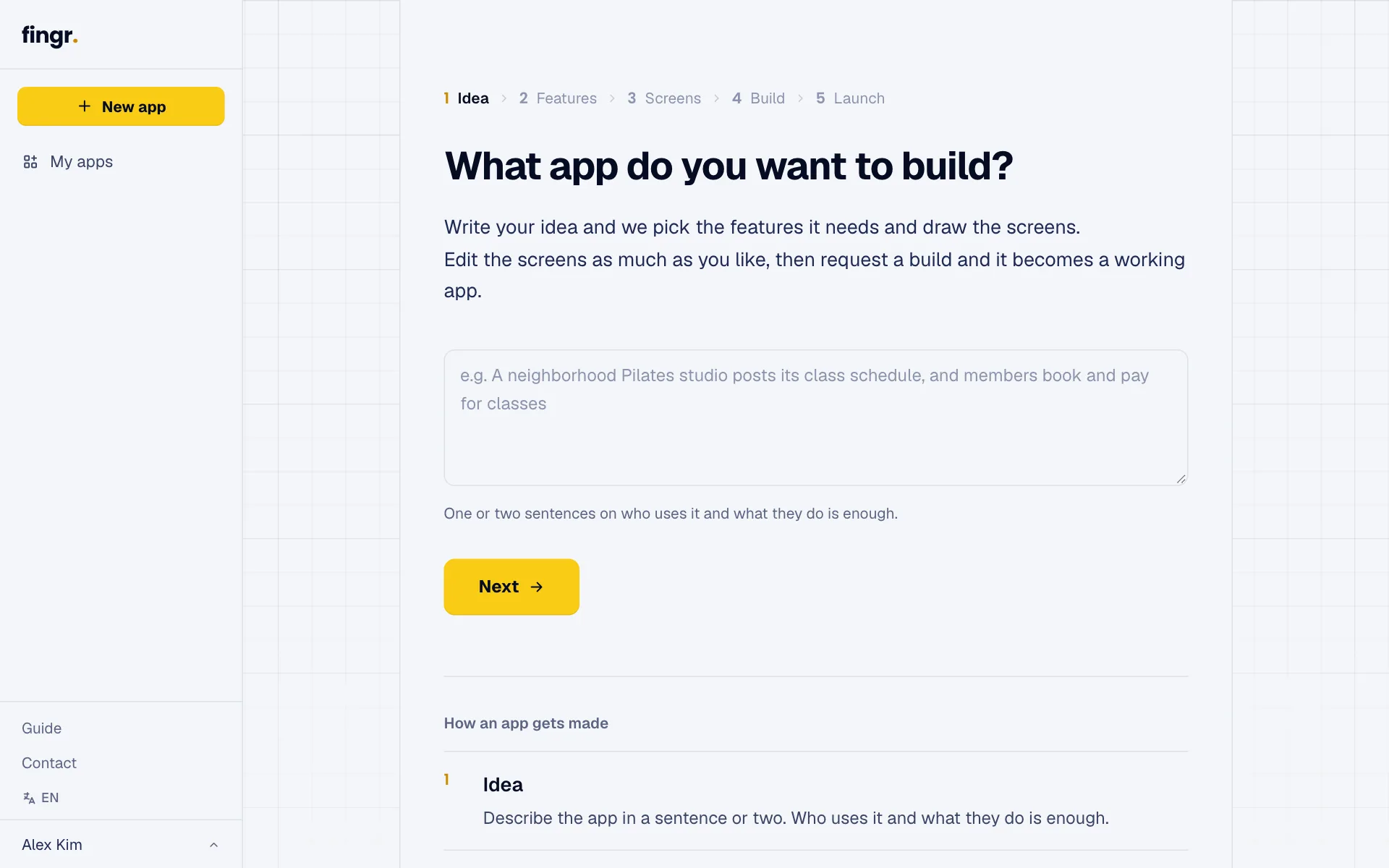
Describe the app in a sentence or two — who uses it and what they do. For example: “Patients pick a therapist and book a time; the owner sees every therapist's calendar.”
-
3
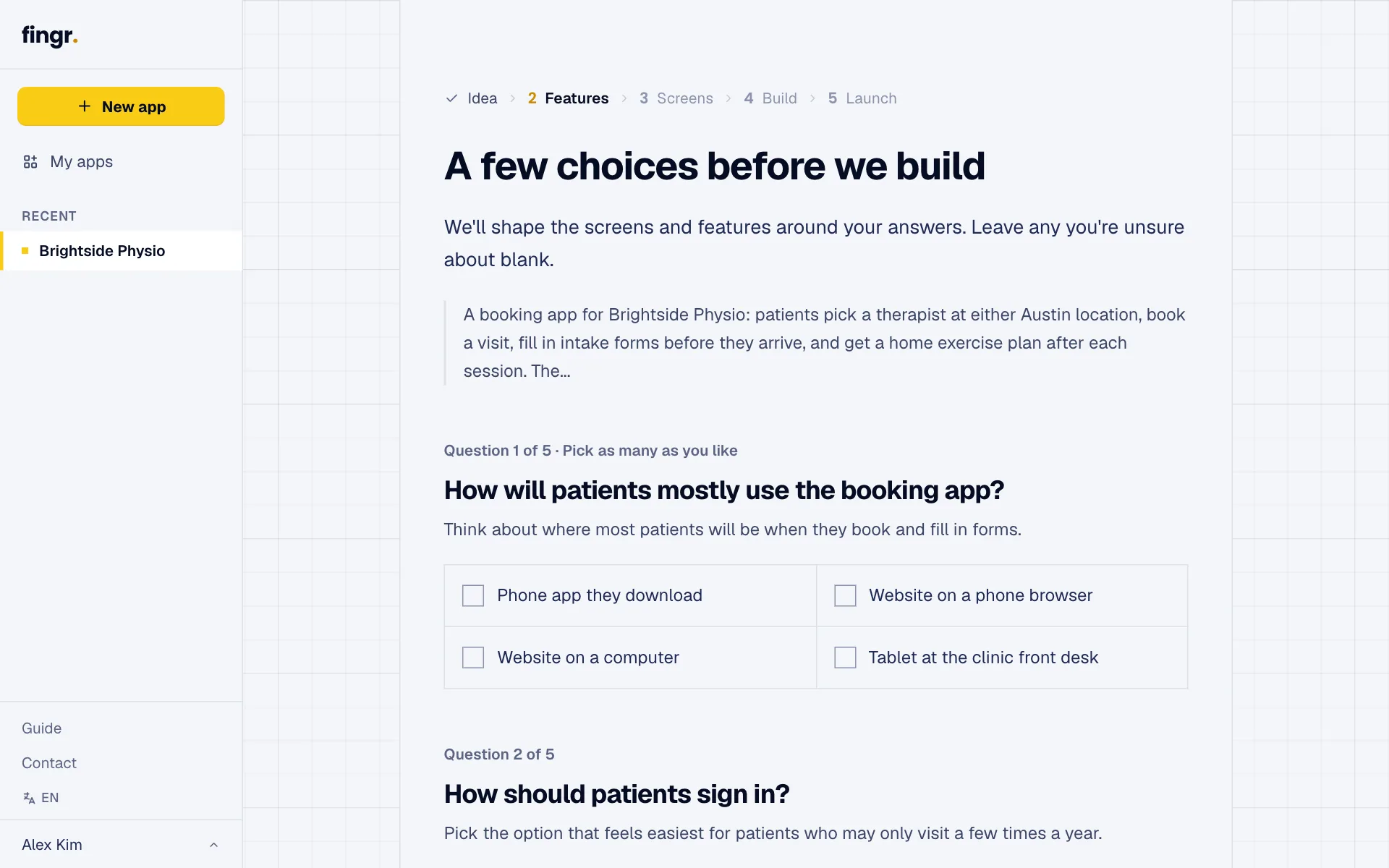
A few questions follow, like who uses it and on which devices. Skip any you're not sure about.
Drawing or changing a screen uses less than 1 credit each time
Pick features and a template, then see the design
-
1
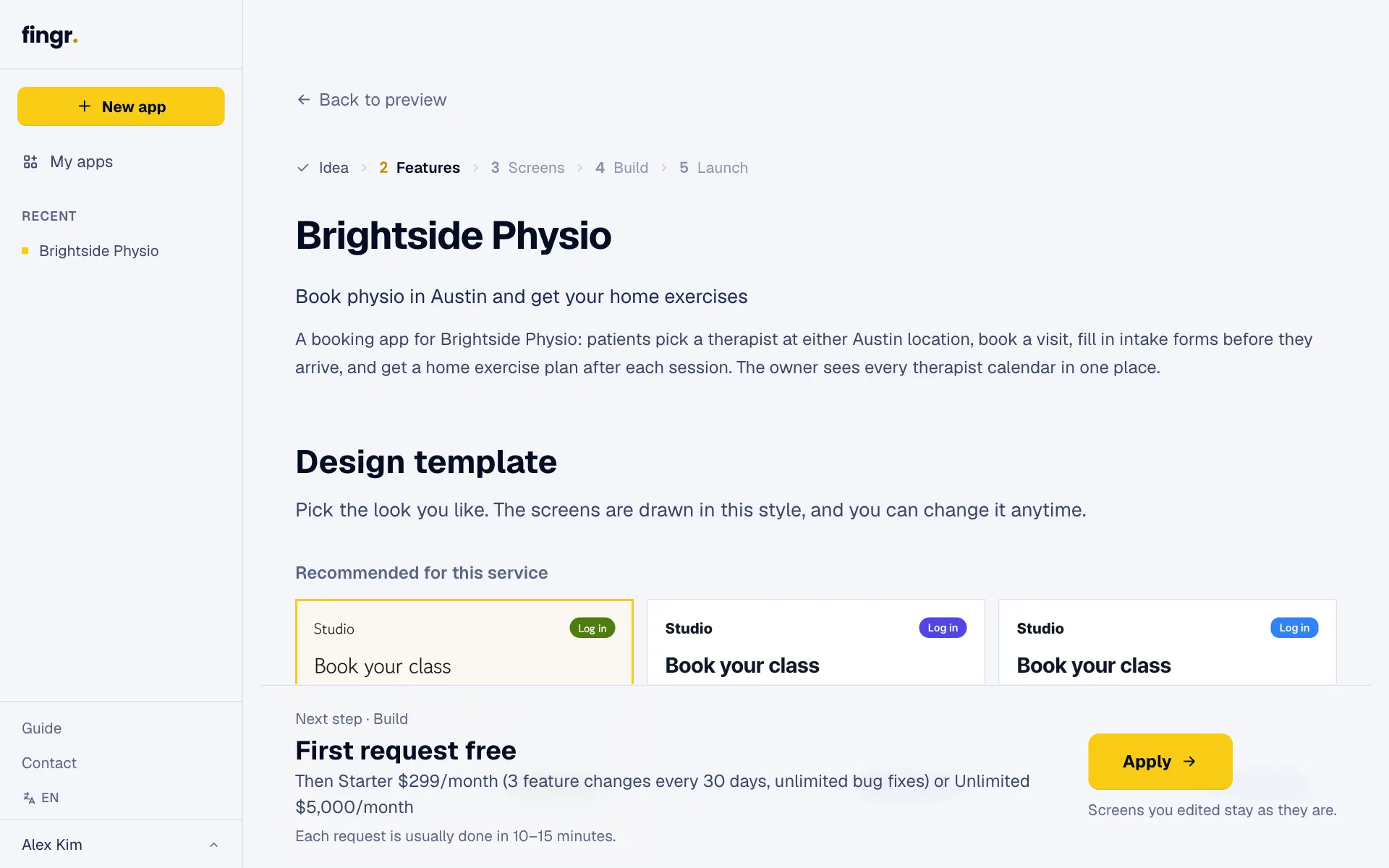
Based on your answers we suggest the features, the list of screens and a design template that fits. Turn things on or off, change the template, then click “Apply”.
-
2
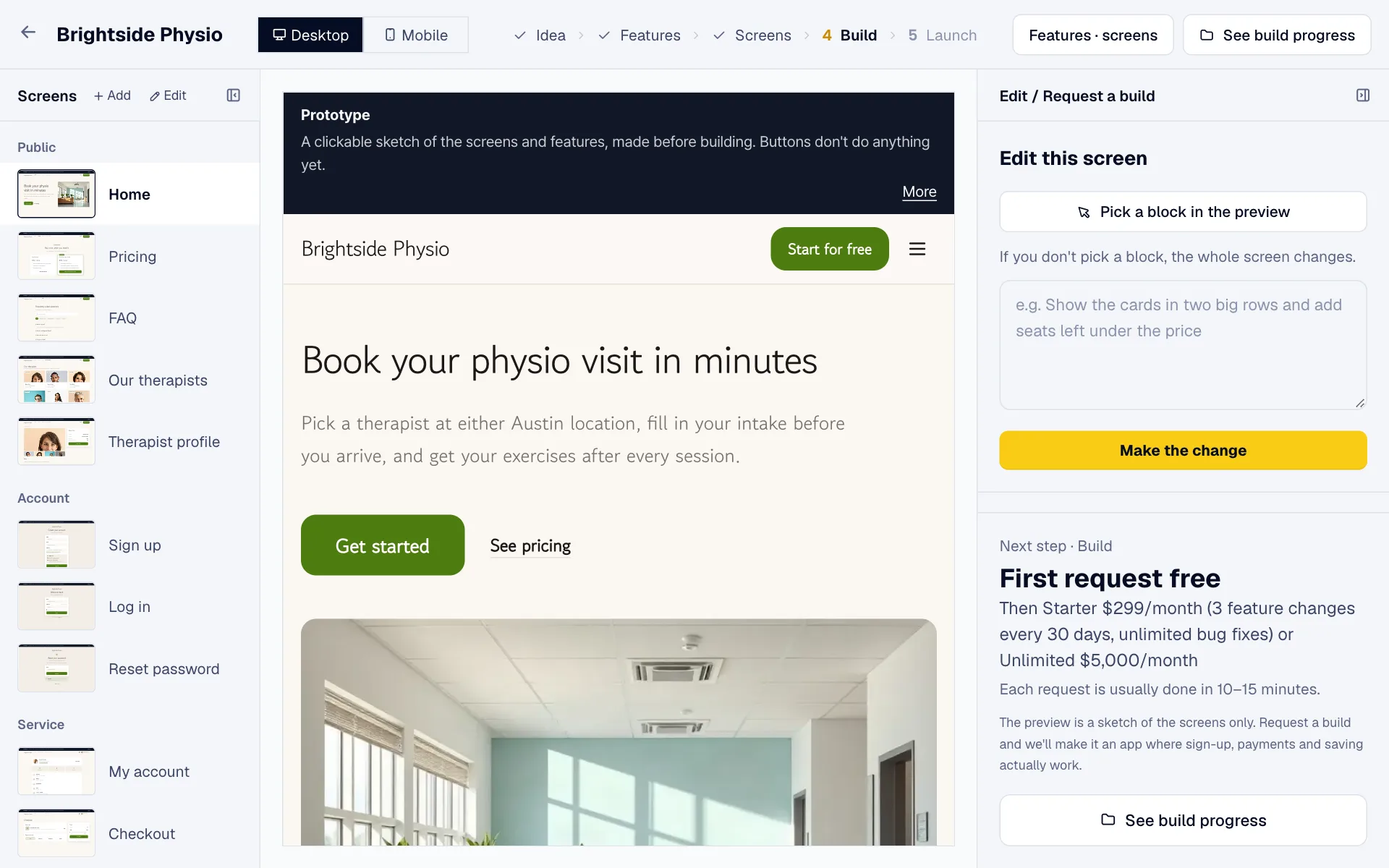
After a short wait every screen is drawn. Pick a screen on the left and describe what to change under “Edit this screen” on the right. “Pick a block in the preview” changes just one part.
-
3
The design shows the look only — buttons don't work yet. When you like it, click “Build a working app from this design” on the right. Once you do, the design is locked — after that, you change the app by sending requests.
Usually a few minutes · we email you when it's ready
Get your first app (free credits)
-
1
We build a working app that keeps the screens, colors and fonts you chose. It usually takes a few minutes. You can close the window — we email you when it's done.
-
2
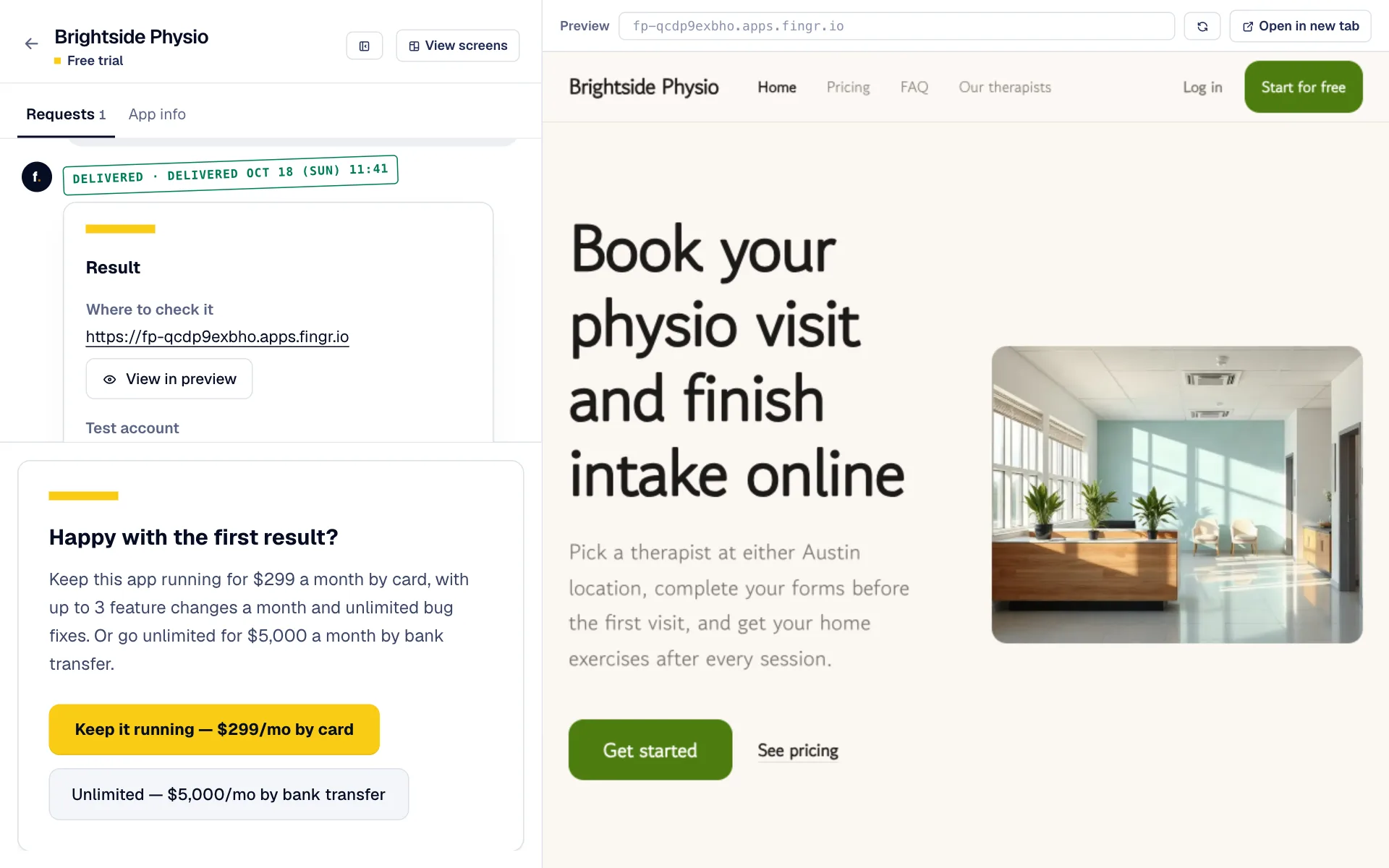
The result shows the app's address, test accounts and notes on the left, with a live preview on the right. Log in with a test account and try the owner's side too.
-
3
Along with the screens your customers use, every app comes with an owner (admin) area from the first version. Add /admin to the app's address and log in with the admin test account to look up records like members, orders or bookings, change their status and add new ones. When you change a feature, we update the admin area to match.
-
4
If something would change the result a lot, we ask first (up to 3 questions). Building starts once you answer.
-
5
If the build can't finish on its own, fingr rebuilds the request automatically (up to 2 times). If it still can't, our team looks into it and gets back to you within 2 business days.
Questions?
Ask the chatbot at the bottom right of the screen. AI answers first, and our team follows up when needed. You can also email james@heyjames.ai.
Build your first app with free credits