10 Things to Decide Before Building a Small Business App (Booking, Ordering, Members)
Before you build a booking, ordering, or membership app, settle these 10 questions — who uses it, payments, the admin side, privacy — and cut rework dramatically.
· 7 min read
Key takeaways
- Most of the cost in building an app is rebuilding. Deciding a few things up front prevents most of it.
- Decide first who uses the app: your team, your customers, or the public. The sign-up flow follows from that.
- Add in-app payments only if you need them. If people pay in person, you can launch faster without them.
- The admin side — what you use to run things — matters as much as the customer screens.
- If you collect personal info, decide up front who can see what.
Why decide before you build
The expensive part of an app isn't building it — it's rebuilding it. Finish a booking app, then realize "customers should be able to book without an account," and you're reworking sign-up, login, and the "my bookings" screen.
The ten questions below only need answers, not technical knowledge. Write them on one page and hand it to whoever builds your app, whether that's an agency or an AI app builder.
1. Who uses it?
The most important question. There are three broad answers.
| Who | Examples | How people get in |
|---|---|---|
| Your team only | Inventory, shift schedules, supply requests | No public sign-up; you invite people |
| Your customers | Salon booking, café ordering, class attendance | Customer accounts, or no account at all |
| Anyone | Marketplaces, local communities, matching services | Open sign-up |
If an internal tool has an open sign-up page, strangers can walk in and see your records. If a customer app only allows invites, nobody can get in. Answer this and half the other decisions follow.
2. Do customers need an account?
For customer apps, decide one more thing. Accounts make loyalty points, coupons, and regulars easier. No account — just name and phone — makes the first booking easier.
For a local business, a solid start is "book without an account, look up your booking by phone number," then add memberships once you have regulars.
3. How do you get paid?
- In person or by bank transfer: no checkout in the app. Fastest to launch.
- Deposits or prepayment: worth it if no-shows hurt you. You'll need a payment provider like Stripe or Square, and their account approval.
- Recurring billing: monthly memberships or subscriptions. You'll also need clear cancellation and refund rules.
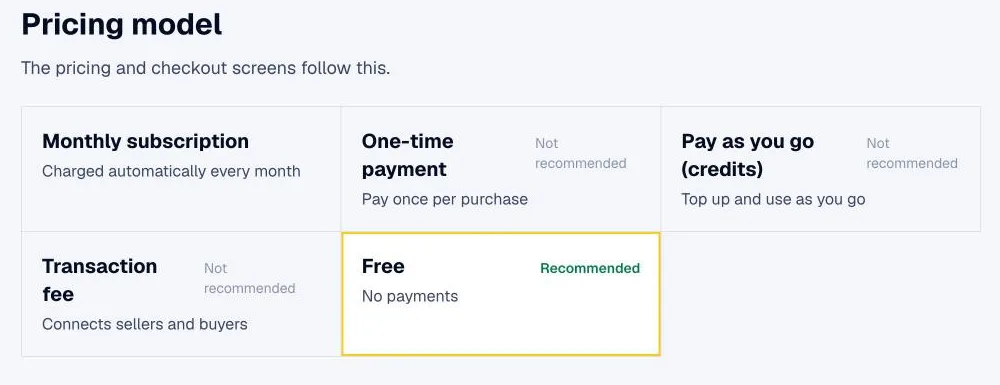
In-app payments bring checkout, payment history, and refund policy screens with them. Make sure you need them.
4. What's the one screen that matters most?
Pick the screen customers see the moment they open the app. For a salon: "pick a date and see open times." For a café: "pick items and add to order." For a tutoring center: "today's classes and attendance." That screen is the face of your app; everything else branches off it.
5. What information does the app keep?
List the nouns. For a booking app:
- Customers (name, phone)
- Services (haircut, color, price, duration)
- Staff (name, days off)
- Bookings (customer, service, staff member, date, time, status)
Status matters most. If a booking moves through requested → confirmed → completed → canceled or no-show, write that down. Your dashboard and notifications practically design themselves from it.
6. What do you manage behind the scenes?
The admin dashboard is as important as the customer side — and it's the part people forget.
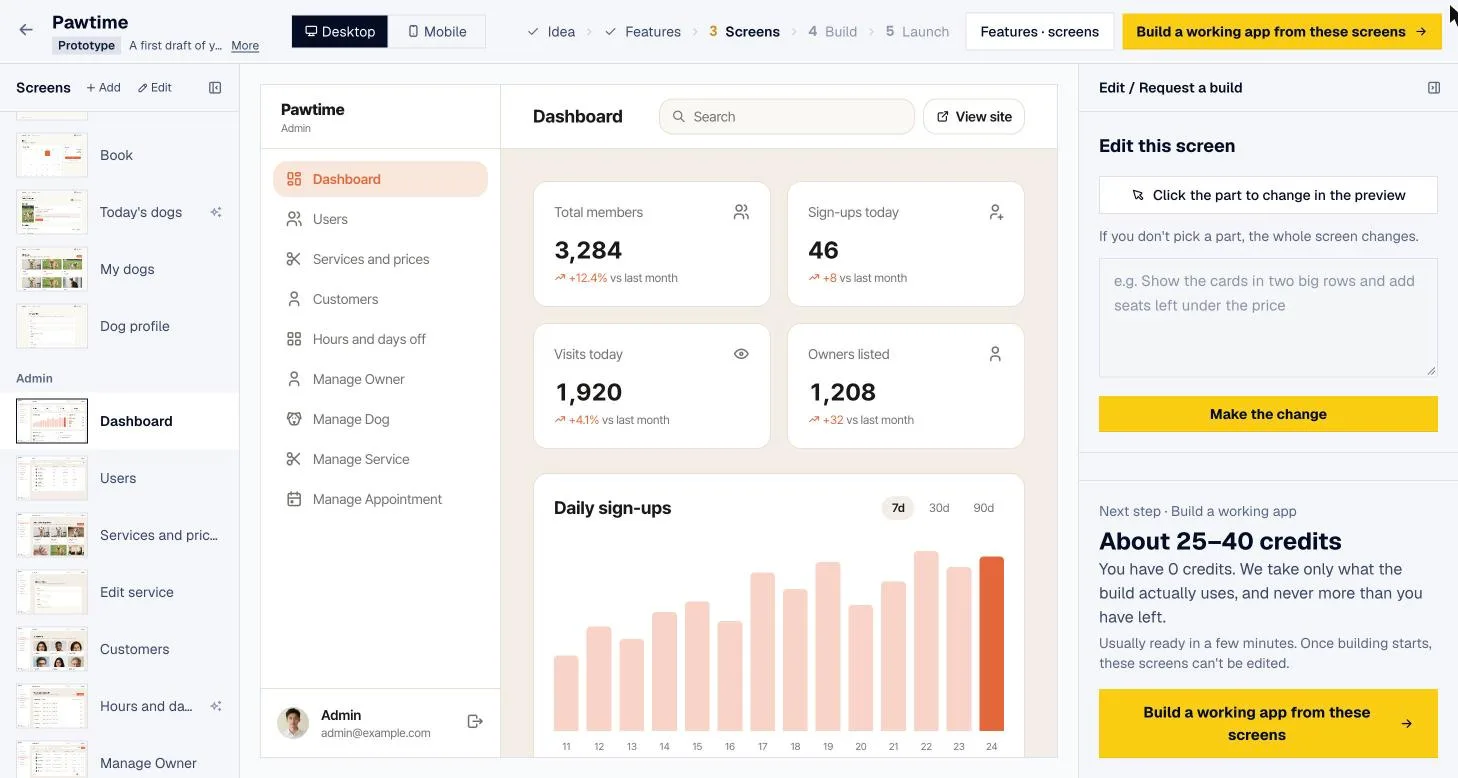
- Today's bookings or orders
- Search by name or phone
- Change status (confirm, complete, cancel)
- Edit services, menu items, prices
- Numbers like bookings and revenue this month
Admin screens work best as wide tables on a laptop. Think of it as: customers on phones, you on a laptop.
7. Who can see what?
If you collect personal information, this isn't optional.
- Someone who isn't signed in should never see other customers' bookings or phone numbers.
- Customer A shouldn't be able to open customer B's booking by changing the URL.
- A regular member shouldn't be able to open the admin dashboard.
- With several staff, decide whether each person sees only their own appointments or everything.
These are hard to check yourself after launch, so ask whoever builds the app to test them.
8. Which notifications do you need?
- To customers: booking confirmed, reminder the day before, order ready
- To you: new booking or order, cancellation
Each channel — email, SMS, push — may need its own service and costs. Starting with email and adding SMS once customers are using it keeps things simple.
9. Web first or app first?
Starting with App Store apps costs more and every fix waits on review. Most small businesses do better launching a web app, then wrapping the same screens as phone apps once regulars show up. The full sequence is in From one web app to iPhone and Android apps.
10. What are similar services already doing?
Try two or three booking or ordering tools in your industry before you build. Their pricing, the features they all have, and the complaints in their reviews show you what your app should do differently. Sometimes the honest answer is that an existing tool is good enough. How to research this is in Do market research before you build.
The one-page version
| Question | Example answer (neighborhood salon) |
|---|---|
| Who uses it | Our customers |
| Customer accounts | No account; book with name and phone |
| Payments | Pay in person |
| Most important screen | Pick a date and stylist, see open times |
| Information kept | Customers, services, stylists, bookings |
| Admin side | Today's bookings, status changes, edit services and prices |
| Who sees what | Customers see their own bookings; staff see all |
| Notifications | Confirmation email; new-booking email to the owner |
| Start with | Web app |
| Similar services | Compare two big booking platforms |
fingr asks these questions for you
fingr builds this checklist into how you make an app.
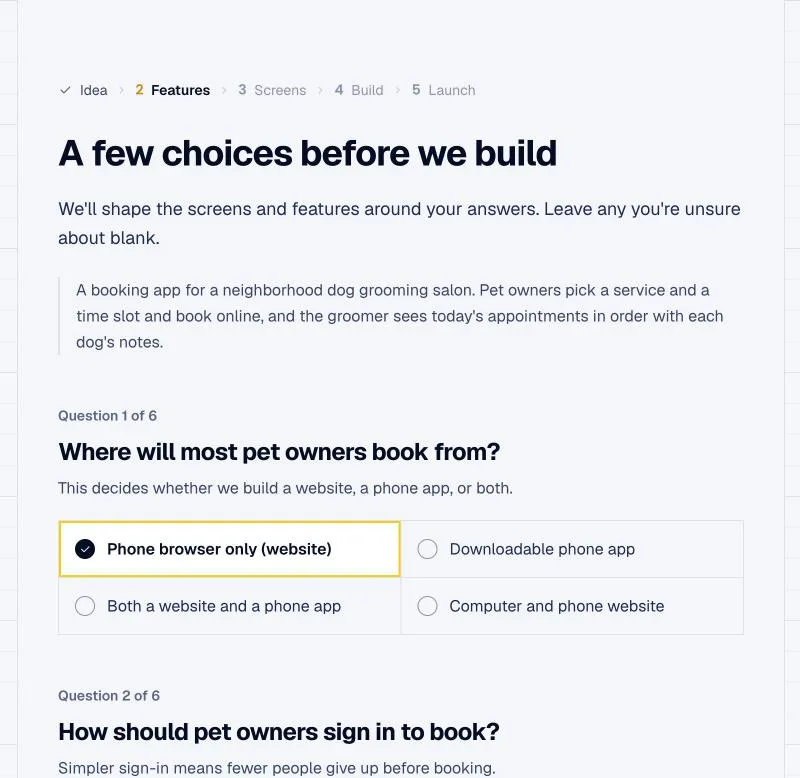
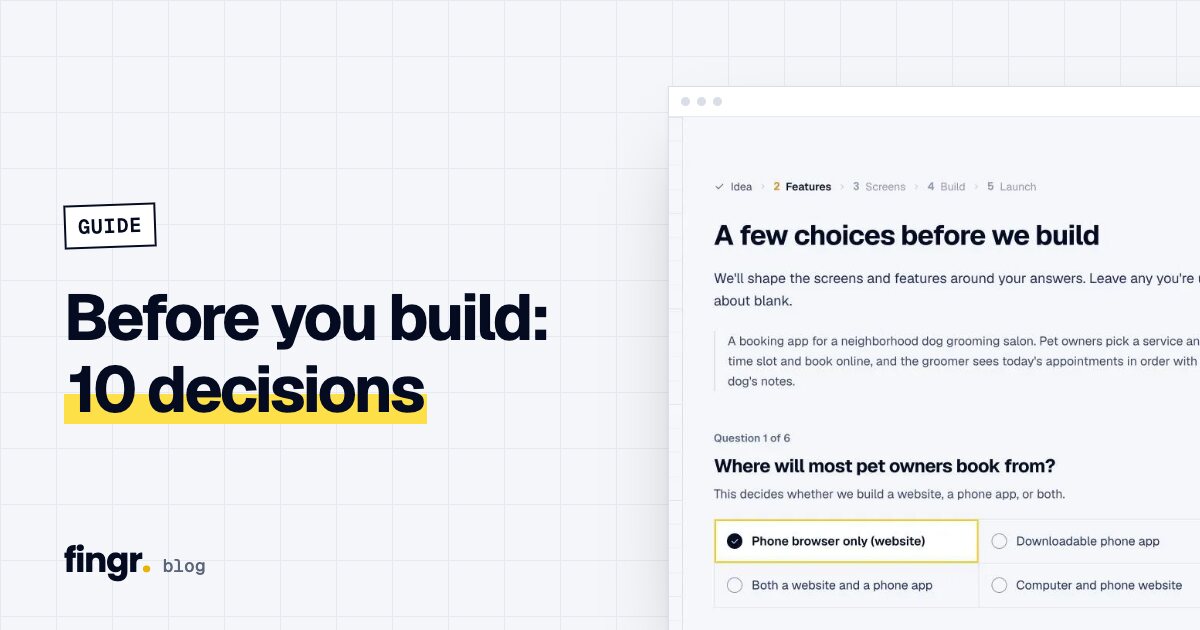
- After you describe your idea, it asks only the questions that change the outcome — including business questions like who uses the app (your team, your customers, or anyone) and how you make money.
- If you want, it searches the web for similar services, their prices, a suggested revenue model, and must-have features, then carries that into feature selection.
- You switch features and screens on or off and adjust the screen designs before the real app gets built.
- An admin dashboard — overview, lists, search, status changes, editing — is included from the first version.
- Before handing over the result, fingr checks it automatically: whether signed-out visitors can see other people's personal records, whether regular members can open the admin area, and whether member B can see member A's records. If something fails, it gets fixed and checked again.
When fingr fits — and when something else is better
fingr is a good fit when:
- You're building something that collects and manages information: bookings, orders, members, attendance, team tasks
- You'd rather settle these ten questions by answering prompts than by writing a spec
- You don't have a dev team and want to keep improving the app by describing changes
Something else is better when:
- An existing booking platform already does the job. Build your own when their fees or limits get in the way.
- You run a larger operation that needs deep integration with your POS, delivery platforms, or accounting software. That calls for a dev team — though fingr can be a starting point to validate screens and flows before you take the code with you.
You don't need every answer before you start. Write a sentence or two and fingr fills in the rest with you through questions. You can build one app with free credits. Start your business app
FAQ
What should I decide first before building a business app?
Who uses it. An app for customers, an app for your staff, and an app anyone can sign up for need different sign-up flows, screens, and security.
Can customers book without creating an account?
Yes. Asking only for a name and phone number makes the first booking much easier. You'll also need a way for customers to find their booking again, such as looking it up by phone number.
Do I need to take card payments inside the app?
Not necessarily. Plenty of businesses are fine with paying in person. Without in-app payments you skip the checkout screens, refund policy, and payment provider setup, so you can launch sooner.
Why do I need an admin dashboard from day one?
With only customer screens, you have no way to see incoming bookings or orders and update them. A dashboard with lists, search, and status changes is what lets you actually run the business on it.
Start your app with one sentence
Answer a few questions, see the screens first, then turn them into a real app. You can build one app with free credits.