Our Terms of Service and Privacy Policy change on November 16, 2026. Terms changes · Privacy Policy changes
For law firms and professional practices
Fewer “Any news on my case?” calls.
Clients check the app.
Describe how you work and fingr builds the app for you. No developers, no code.
Start from one of these
Tap one to put the request in the box above. You can edit it before sending.
The daily busywork, cut down
Now
You answer every call and email asking for updates
With the app
Clients see the stage and next date in the app
Now
Documents arrive by email and chat and you refile them
With the app
Each case has a document list, and missing ones stand out
Now
Booking consultations takes rounds of calls
With the app
Clients pick an open slot and book it
Stop answering the same questions.
Let the app do it.
Your customers check and choose on their own time, and you just look at a tidy list. Write down the features you need and we build them your way. Start free, no card needed.
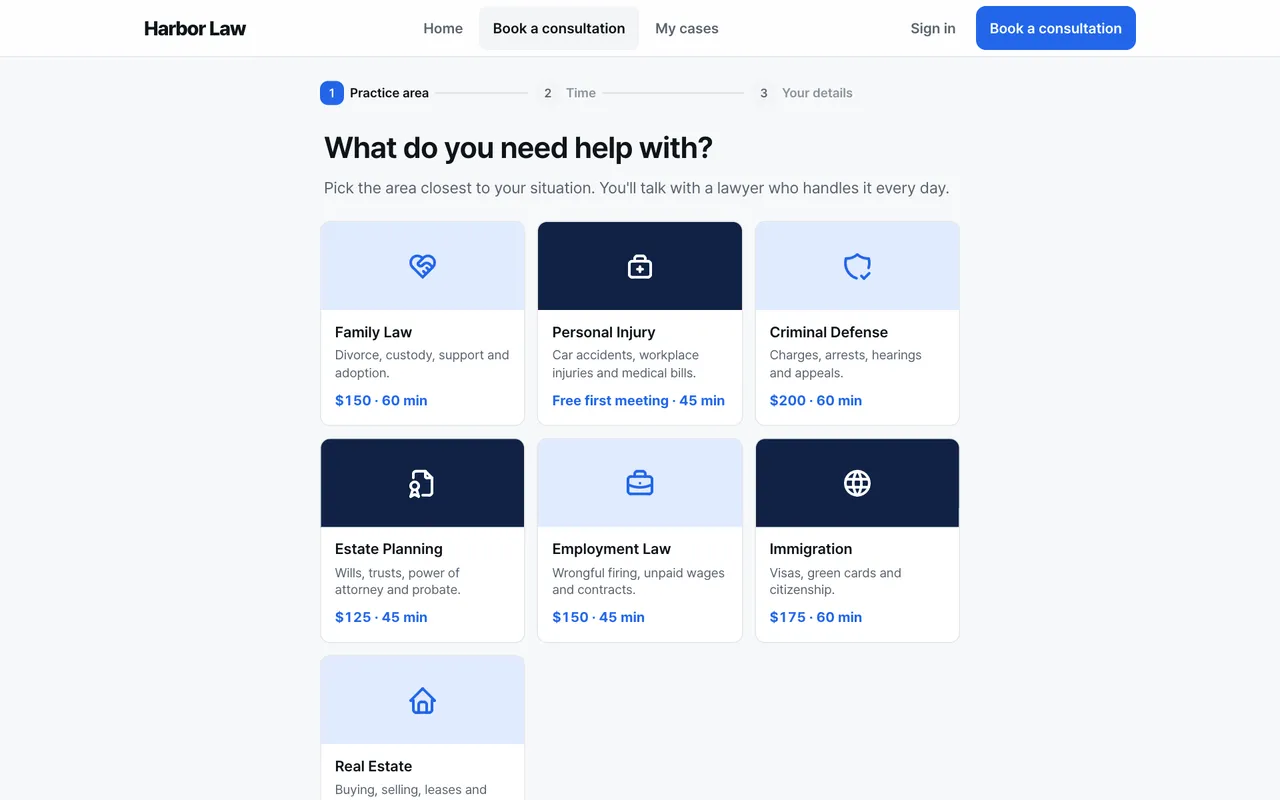
Client screen
Consultation booking
Pick a practice area, in person or phone, and a time. No account needed.
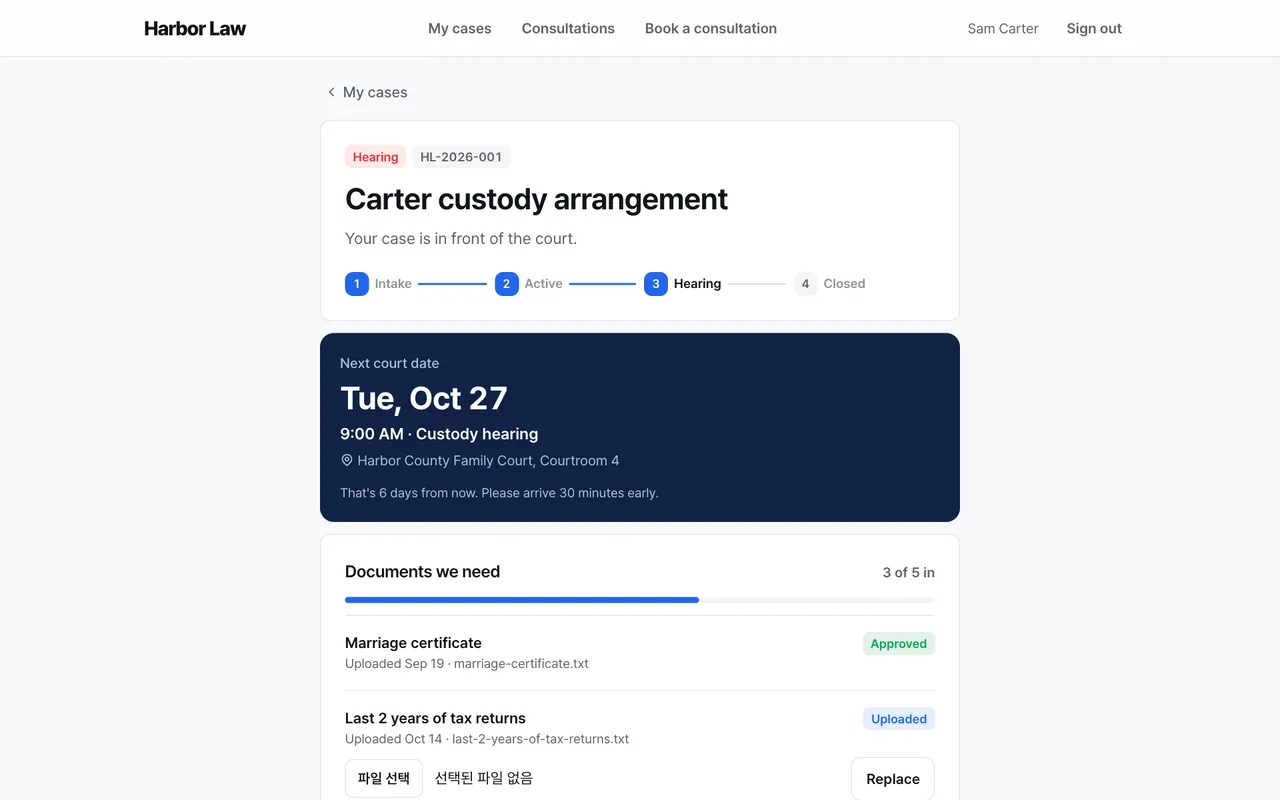
Client screen
My case stage
See the current stage, the next court date and the documents still needed, and upload them right there.
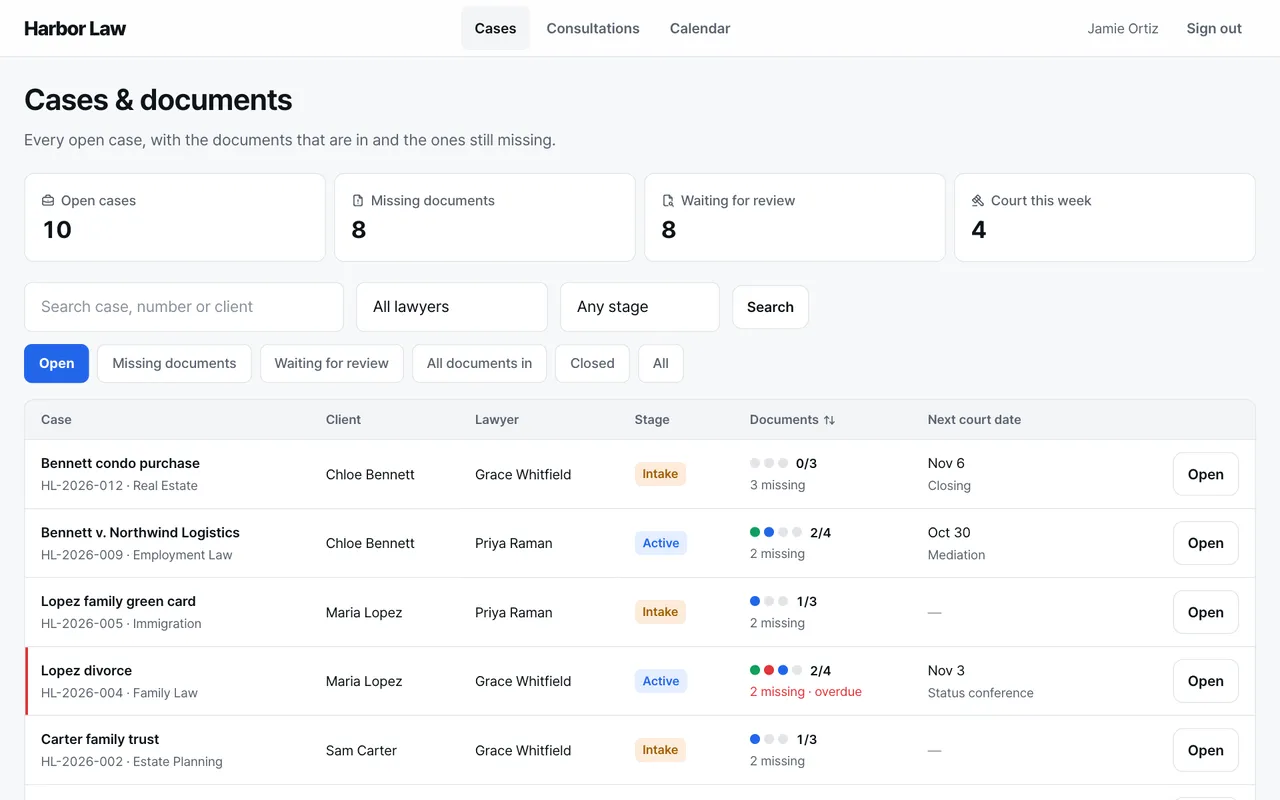
Staff screen
Cases and documents
Every open case with documents in and missing, filtered by stage or what's waiting for review.
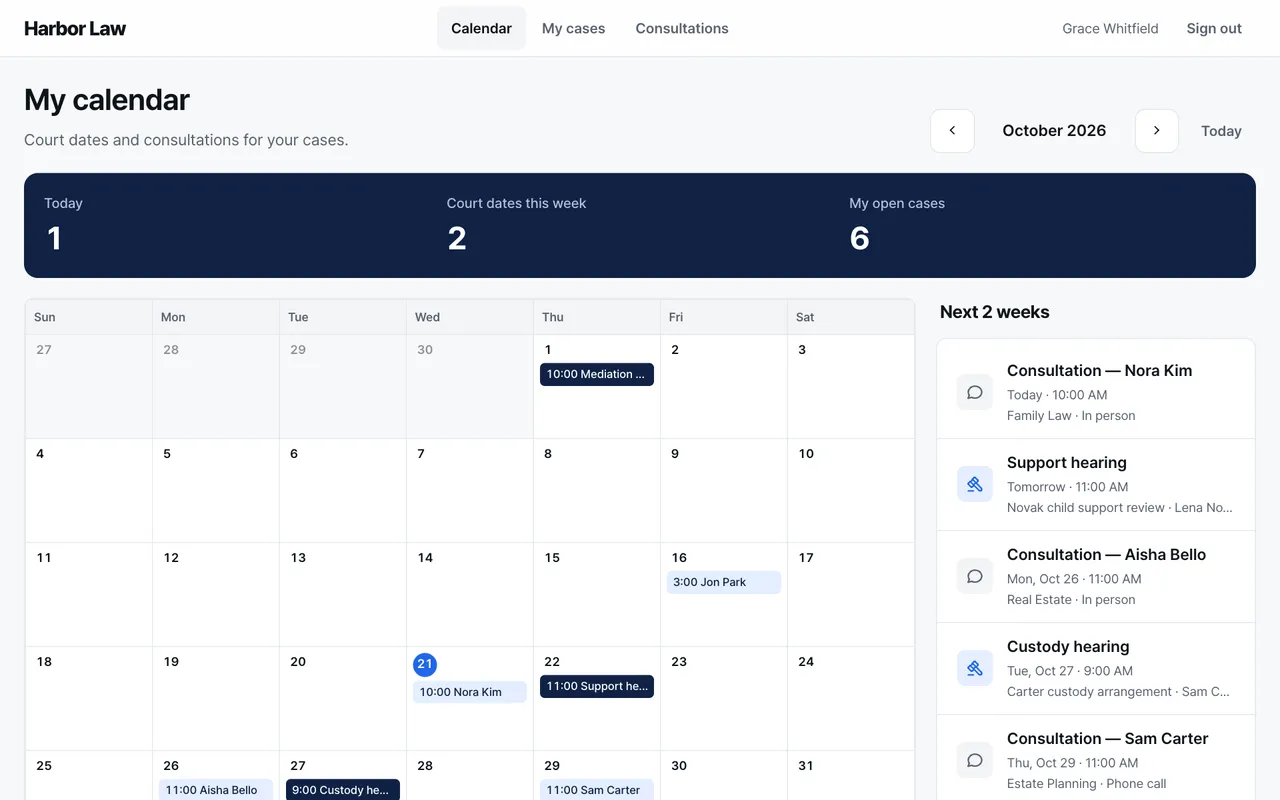
Lawyer screen
Court calendar
Court dates and consultations on a month calendar, plus the next two weeks, with notes on each case.
Why build it with fingr?
Not another off-the-shelf app
You don't bend your business to someone else's app. We build it the way you already work.
Faster than hiring developers
No quotes, no weeks of waiting. Write what you need and the first screens are ready in minutes.
Nothing to build yourself
No dragging blocks around like no-code tools. Want a change? Write it down and we make it.
Compare agencies, no-code and AI app builders →
How it gets made
-
1
Plan
Write what you want and answer a few questions. We pick the features you need.
-
2
Design
Look at the screens and change the wording, colors and layout.
-
3
Build
One tap turns it into a real app with sign-up, payments and saving, on its own web address. Keep changing it by writing.
Every app comes with these.
- Sign-up & login
- An admin area for you
- App Store & Google Play
- A web address
- Payments, email, maps
- Error alerts
- AI features, only with your OK
- The code is yours
Pricing
Free
No card needed
$0 / one app
- Build one app with free credits
- Sleeps when unused, wakes when someone visits (takes about 10 seconds)
- Shows a small “Made with fingr” badge in the corner
- Deleted if you don't log in for 30 days
Upgrade
Per app · charged monthly to your card
$49 / month
- Your app stays online
- Twice the processing power of a free app — faster and steadier
- You can turn off the “Made with fingr” badge
- Connect your own domain (e.g. mybrand.com)
- Download the latest code anytime
- Cancel anytime from your app page
Extra credits $100 / 100 credits
Small change 5 · regular 10 · one feature 30 · big feature 40 credits at most. We tell you before we build and charge only what it actually uses. Pooled in your account for any app; purchased credits last 1 year.
- You can build one app with free credits. No card needed.
- Nothing is charged unless you pick a plan. You can keep your free app. It's only deleted if you don't log in for 30 days, and we email you 7 days before.
- If a build fails, you can retry the same request twice more.
Questions
Do clients need to install an app?
No. They tap a link and it opens in their browser.
Can a client see someone else's case?
No. Clients only see their own cases. Staff and lawyers can be limited to the cases they handle.
Can AI summarize consultation notes?
Yes. Turn on in-app AI and it can summarize notes. What's entered is sent to Anthropic, an AI company in the US, so tell your clients and get their consent. AI usage is billed separately from the upgrade fee.
Can clients pay the consultation fee when they book?
Yes. Add keys from a payment company such as Stripe, and clients pay by card when they book. Until then it runs on test payments.
Will we get reminders before court dates?
Yes. The app can email the lawyer and the client a set number of days before each date; say how many days in your request. To send real emails, sign up with an email-sending service (e.g. Resend) and add its key.
Can I really build it for free?
Yes. Just sign up — no card needed — and you can make the design. When you build the real app, verify your phone by text and we add credits for your first app. If they run short, we build the must-have features first and you can add the rest later.
Where does my app live?
Every app gets its own web address that opens on phones and computers. Upgrade the app to connect your own domain (like mystore.com) and download iPhone and Android app code.
What if I want changes later?
Write what to change on your app's page and we'll update it. We tell you the credits needed before we start, and only the credits actually used are taken.
Fewer “Any news on my case?” calls. Clients check the app.
Build it first. Pay only if you like it.
Build it free