AI App Builders in 2026: Lovable, Replit, v0, Claude Code, Codex, Gemini and fingr
A plain-English comparison of seven AI app-building tools, sorted by who they actually suit: founders and small business owners who don't code, or developers who do.
· 8 min read
Key takeaways
- Lovable and v0 are the fastest way to see a polished screen. Replit puts a whole development environment in your browser.
- Claude Code, Codex and Gemini CLI are coding agents for developers working on their own codebase.
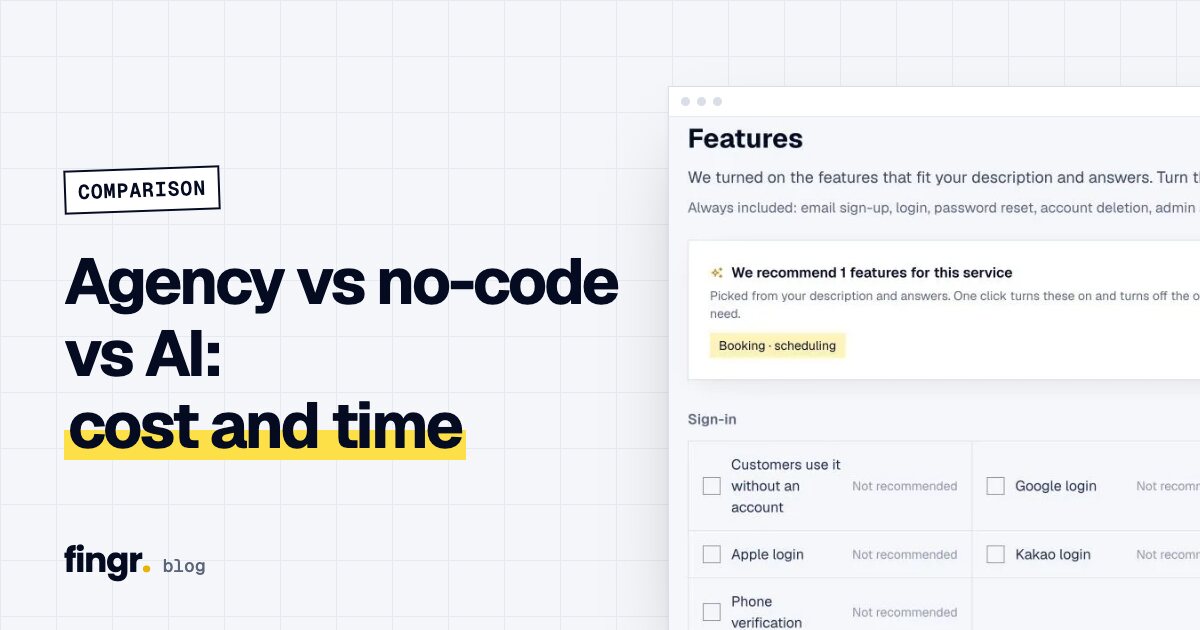
- fingr walks you through planning questions, optional market research and screen design first, then builds a business app with an admin dashboard and hosts it.
- The two questions that decide it: will you touch the code yourself, and will real customers use this app every day?
- Prices below come from each official pricing page as of October 21, 2026, and they change often.
Why there are so many of these now
Two years ago, "building an app with AI" mostly meant autocomplete inside a code editor. Today you can type a few sentences and get screens, a database and a live URL. The catch is that almost everything gets called an "AI app builder," which makes it hard to tell them apart.
They fall into three rough groups:
- Chat-to-UI builders that turn a prompt into screens quickly: Lovable, v0.
- Browser-based dev environments with an AI agent built in: Replit.
- Coding agents that work inside a developer's own setup: Claude Code, Codex, Gemini CLI.
fingr doesn't fit neatly into any of them. It's less about generating code and more about getting one working business app from idea to launch.
Side-by-side
| Tool | Best for | Strength | What you still handle | Pricing (official pages, Oct 21, 2026) |
|---|---|---|---|---|
| Lovable | Non-developers, designers, founders | Good-looking UI in seconds | Supabase setup, data access rules, admin screens | Free, Pro $25/mo, Business $50/mo; hosting and in-app AI use the same credits |
| Replit | Learners, developers | Any language; editor, runtime and deploy in one place | Busy interface for non-coders, usage-based costs | Free, Core $20/mo ($20 credits included), Pro $100/mo; effort-based |
| v0 | Developers, designers | Clean Next.js UI, one-click Vercel deploy | Auth, database and admin tooling | Free, Plus $30/user/mo, Business $100/user/mo; Vercel hosting extra |
| Claude Code | Developers | Reads large codebases, edits many files | Your own dev setup, Git, hosting, security | Included in Claude Pro $20/mo, Max from $100/mo; hosting extra |
| Codex | Developers | Hand off GitHub tasks, review the result | Same as above | ChatGPT Free (limited), Plus about $20/mo in the US; hosting extra |
| Gemini | Developers, tinkerers | Open-source CLI, fast experiments in AI Studio | Payments, admin, operations | Free limits, Google AI Pro about $20/mo in the US; hosting extra |
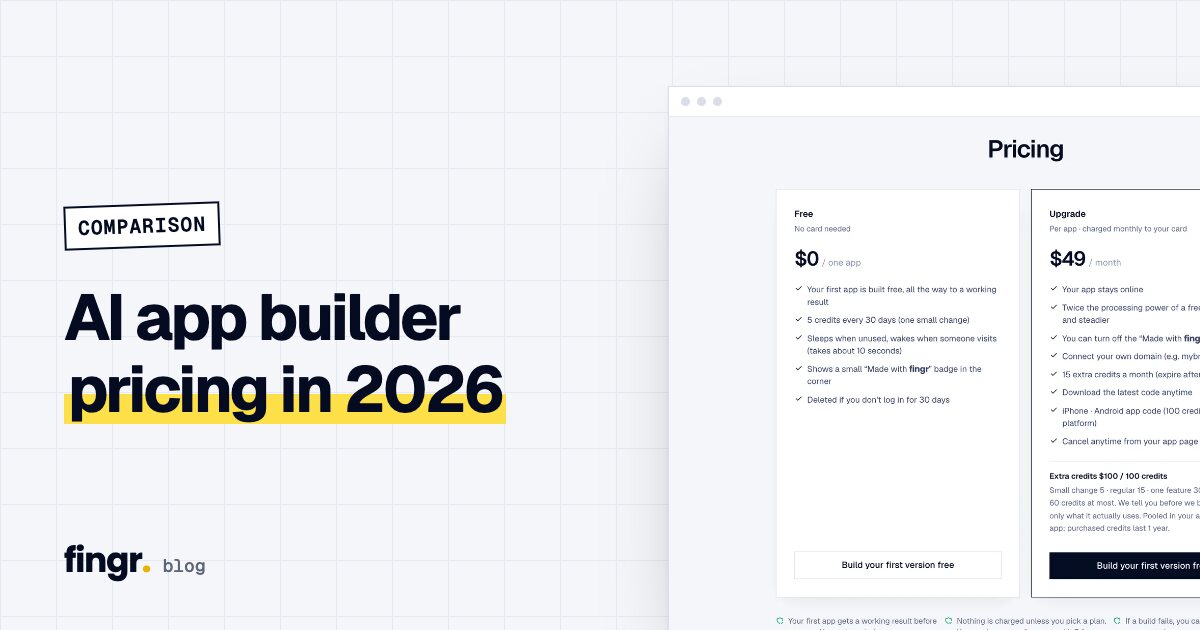
| fingr | Small business owners, solo founders, planners | Planning, research and design, then a hosted app | No in-browser code editor, no stack choice | One app on free credits, then $49/mo per app (hosting included) plus credits |
Credits mean different things in each tool, so "one credit" can't be compared directly. For a pricing-only table and monthly cost examples, see AI app builder pricing compared.
Lovable: the fastest screens
Type "build me a booking app" and Lovable shows you a good-looking interface within seconds. That speed is the reason most people try it. Screens are built in React, and user accounts and data live in Supabase (a hosted database service) or Lovable's own cloud.
Things get more involved once you want to run it for real. You need to check the data access rules yourself so one customer can't see another's records, and the screens your staff would use to manage orders or bookings are something you ask for separately. Since June 2026, building, hosting (database, storage, traffic) and AI features inside your app all draw from the same credit balance, so a busier app uses more credits. We go deeper in Lovable vs fingr.
Replit: a full dev environment, rented
Replit gives you a code editor, terminal, database and hosting in one browser tab. Ask Replit Agent for something and it plans, writes code and runs it. You can use almost any language or framework, which makes it a great fit for people learning to code or teams with a developer.
If you don't code, though, the screen is crowded with file trees, consoles and error logs. Core is $20 a month with $20 of usage credits included; after that, Agent work is billed by effort, so monthly costs can be hard to predict. More in Replit vs fingr.
v0: polished UI, developer-friendly
v0 comes from Vercel. It started as a UI component generator and in 2025 became v0.app, a builder for whole apps. The Next.js and Tailwind output looks clean, and you can deploy to Vercel in one click.
Developers and designers love it. Non-developers often get stuck at the last mile, since login, databases and admin features usually mean wiring up outside services. Pricing works the same way: v0 Plus is $30 per user a month, and Vercel hosting (Pro is $20/mo for commercial use) and your database are billed separately.
Claude Code, Codex and Gemini: an extra pair of hands for developers
These are a different kind of tool. They're AI teammates for developers who already have code and want to say "fix this," "add that," or "run the tests."
- Claude Code (Anthropic) runs in your terminal and editor and is strong at reading big codebases and changing many files at once. It comes with Claude Pro ($20/mo).
- Codex (OpenAI) works from the terminal, editor extensions or the cloud, and fits a "hand off a GitHub task, review the result" workflow. ChatGPT Free includes limited use, and Plus (about $20/mo in the US) raises the limits.
- Gemini (Google) offers Gemini CLI, an open-source terminal agent, plus app building in Google AI Studio for quick experiments. There's a free allowance with a Google account, and Google AI Pro (about $20/mo in the US) raises it. The rules change often, so check before you rely on them.
All three are excellent. Setup, Git, hosting, deployment and security reviews are still on you. If you're not a developer, you'll likely have a great tool and no obvious first step. See Claude Code, Codex and Gemini vs fingr.
fingr: from idea to a running business app
Instead of showing you code, fingr gives you an order to work in:
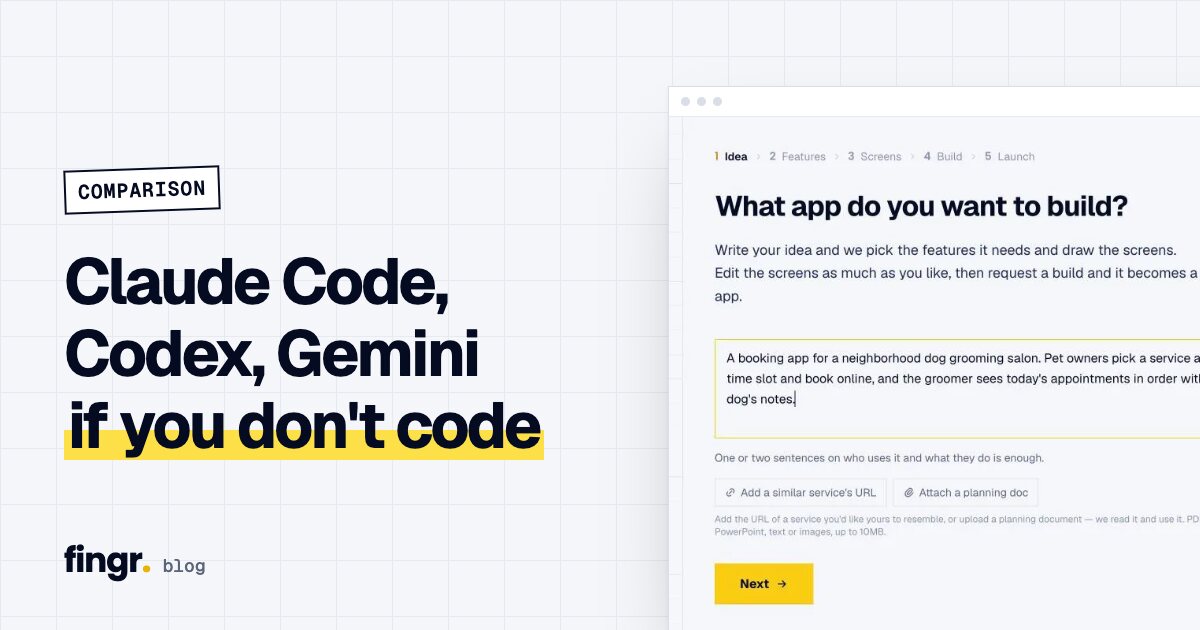
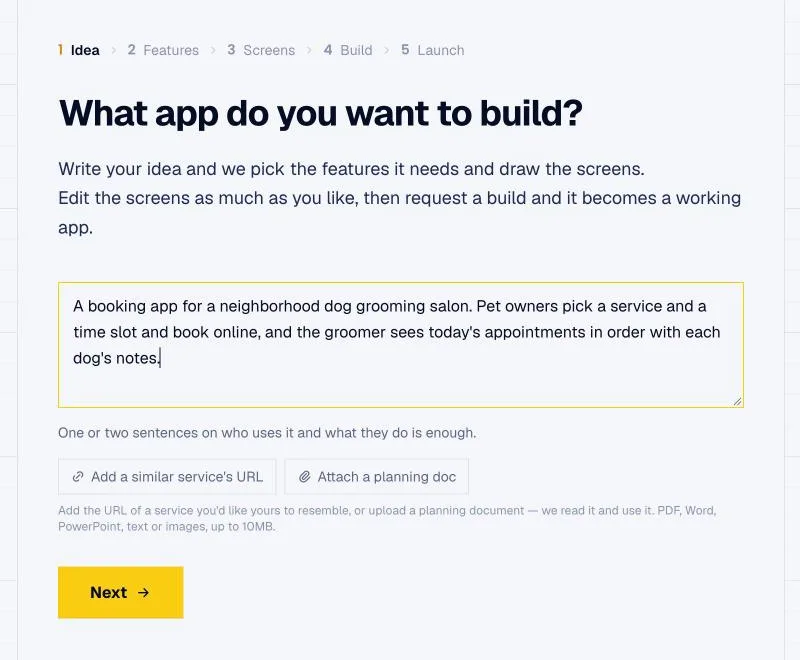
- Describe your idea in a sentence or two. You can add a link to a similar product or attach a brief (PDF, Word, slides, photos).
- Answer a few questions, only the ones that really change the result, including who the app is for and how it makes money.
- Optionally, let AI search the web and summarize similar products, their pricing, a suggested revenue model and must-have features, based on the US market.
- Pick your features and a design template.
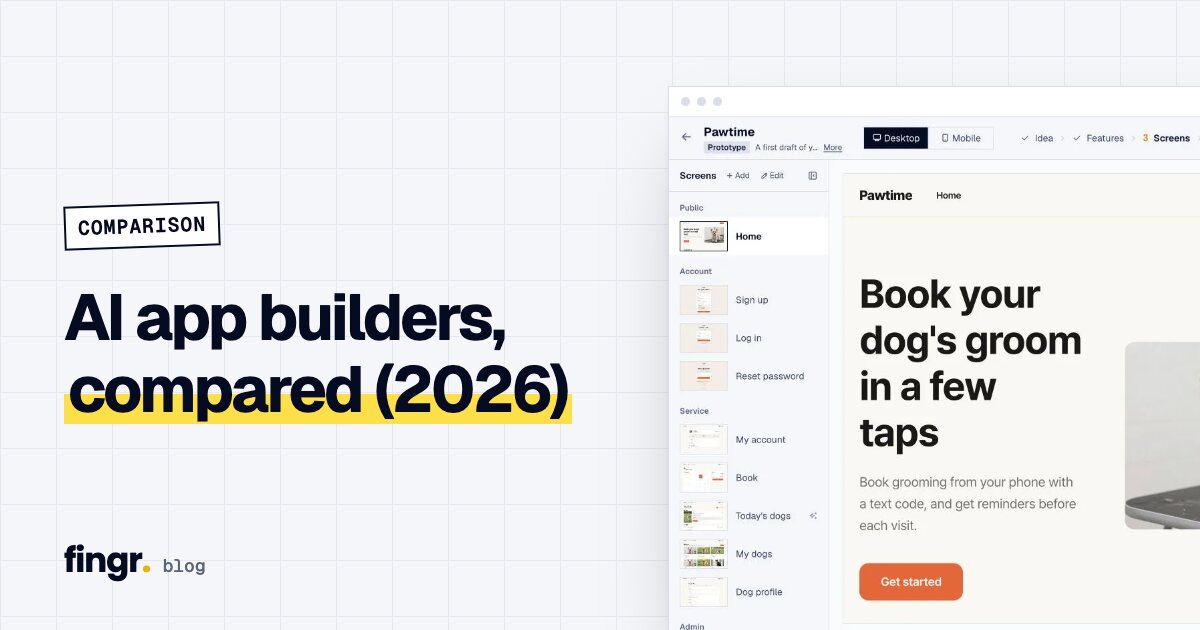
- Review real screens and adjust copy, colors and layout.
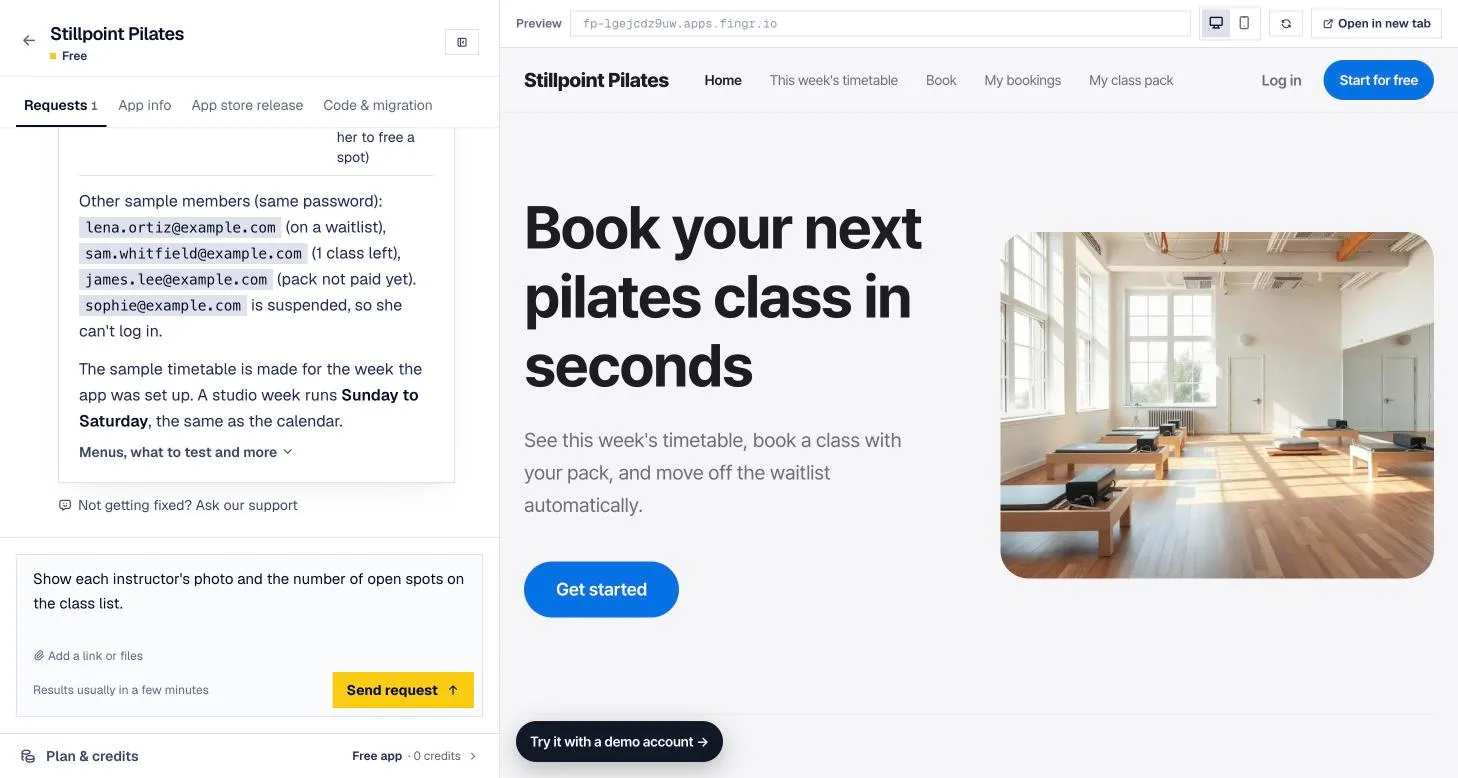
- Click "Build the real app from this design." fingr builds a working web app that follows those screens, with sign-up, saved data and payments. It usually takes a few minutes.
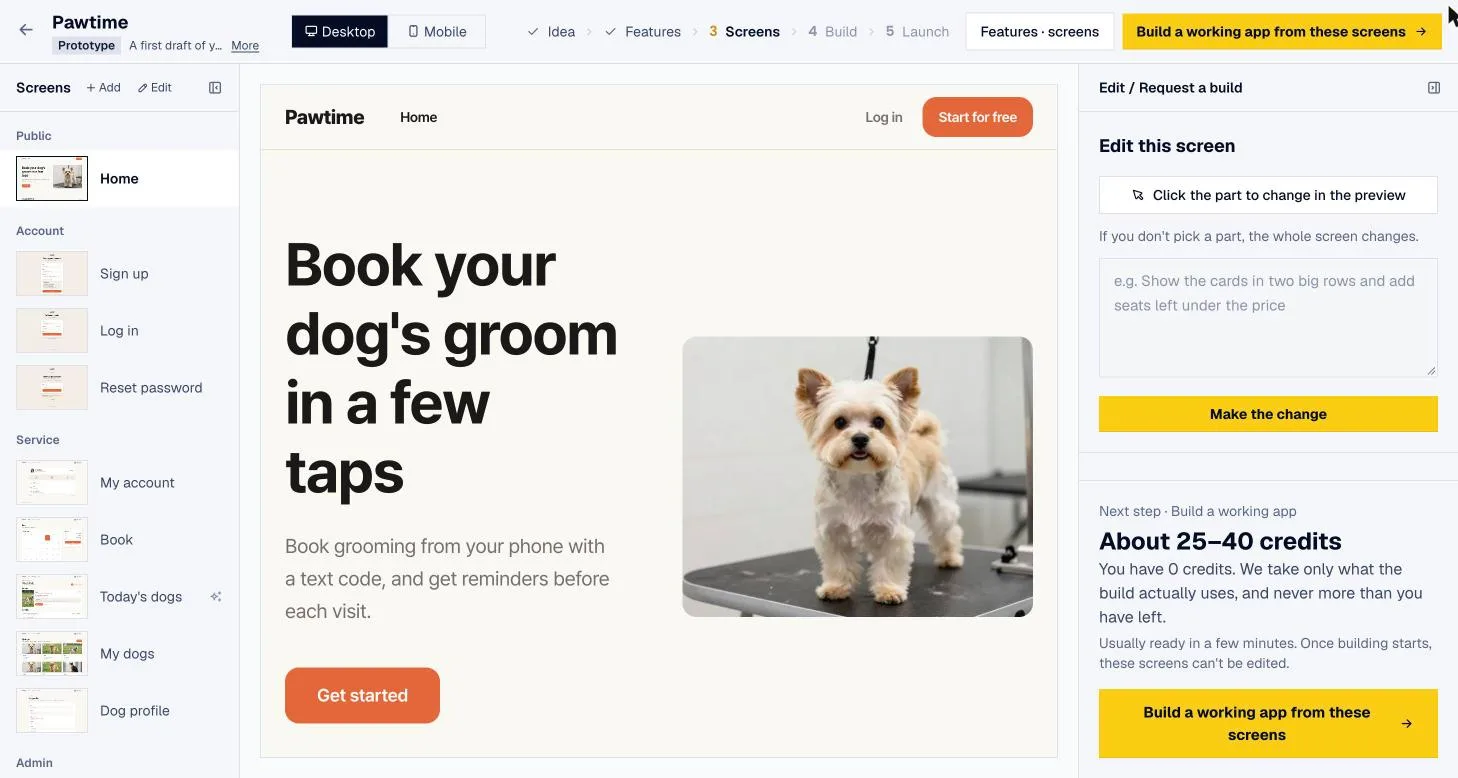
Every app ships with an admin dashboard from the first version. Before handing it over, fingr checks automatically that logged-out visitors can't see other people's records and that regular members can't open admin pages. Hosting is included, so you get a live URL and test accounts as soon as it's done.
Where fingr isn't the right fit
- You want to edit code line by line. There's no code editor; on a paid app you download the code and edit it elsewhere.
- Your team has to use a specific stack like React or Next.js. fingr picks the stack.
- You want instant, seconds-long feedback on every prompt. Lovable and v0 are quicker there. fingr spends a little more time up front on planning and design.
Which one should you pick?
| If you... | Try |
|---|---|
| Are a developer with an existing codebase | Claude Code, Codex, Gemini CLI |
| Want to learn to code while building | Replit |
| Need UI mockups to hand to a developer | v0, Lovable |
| Need a quick demo to show investors or friends | Lovable |
| Need a real app for your business and have no developer | fingr |
| Need staff screens to manage bookings, orders or members daily | fingr |
If you write code, use a coding agent. If you want a mockup fast, Lovable or v0 will get you there. If real customers are going to use the app and someone has to run it every day, fingr handles planning, the admin side, safety checks and hosting in one place.
Want to know why the order of work matters? Read how to build a web product efficiently.
Build your first app with free credits
With fingr you can build one app with free credits. No card required. Write a sentence or two about what you want, answer a few questions, review the screens, and get a real app. Start with your idea.
FAQ
Which AI app builder works best if I can't code?
Chat-based tools like Lovable, v0 and fingr. fingr adds planning questions, optional market research and a screen design step before it builds an app with sign-up, saved data, payments and an admin dashboard, then hosts it for you.
Can non-developers use Claude Code or Codex?
It's hard. Both run in a developer's terminal or code editor and assume you can handle Git, servers and deployment yourself.
How do AI app builders charge?
Most combine a monthly subscription with credits or usage-based billing. As of the official pricing pages on October 21, 2026: Lovable Pro is $25/mo, Replit Core $20/mo, v0 Plus $30 per user/mo and Claude Pro $20/mo. fingr lets you build one app with free credits, then it's $49/mo per app. Also check whether hosting and database costs are billed separately.
What does fingr cost?
You can build one app with free credits, no card required. To keep an app always on and connect your own domain, upgrade that app for $49 a month.
Start your app with one sentence
Answer a few questions, see the screens first, then turn them into a real app. You can build one app with free credits.